
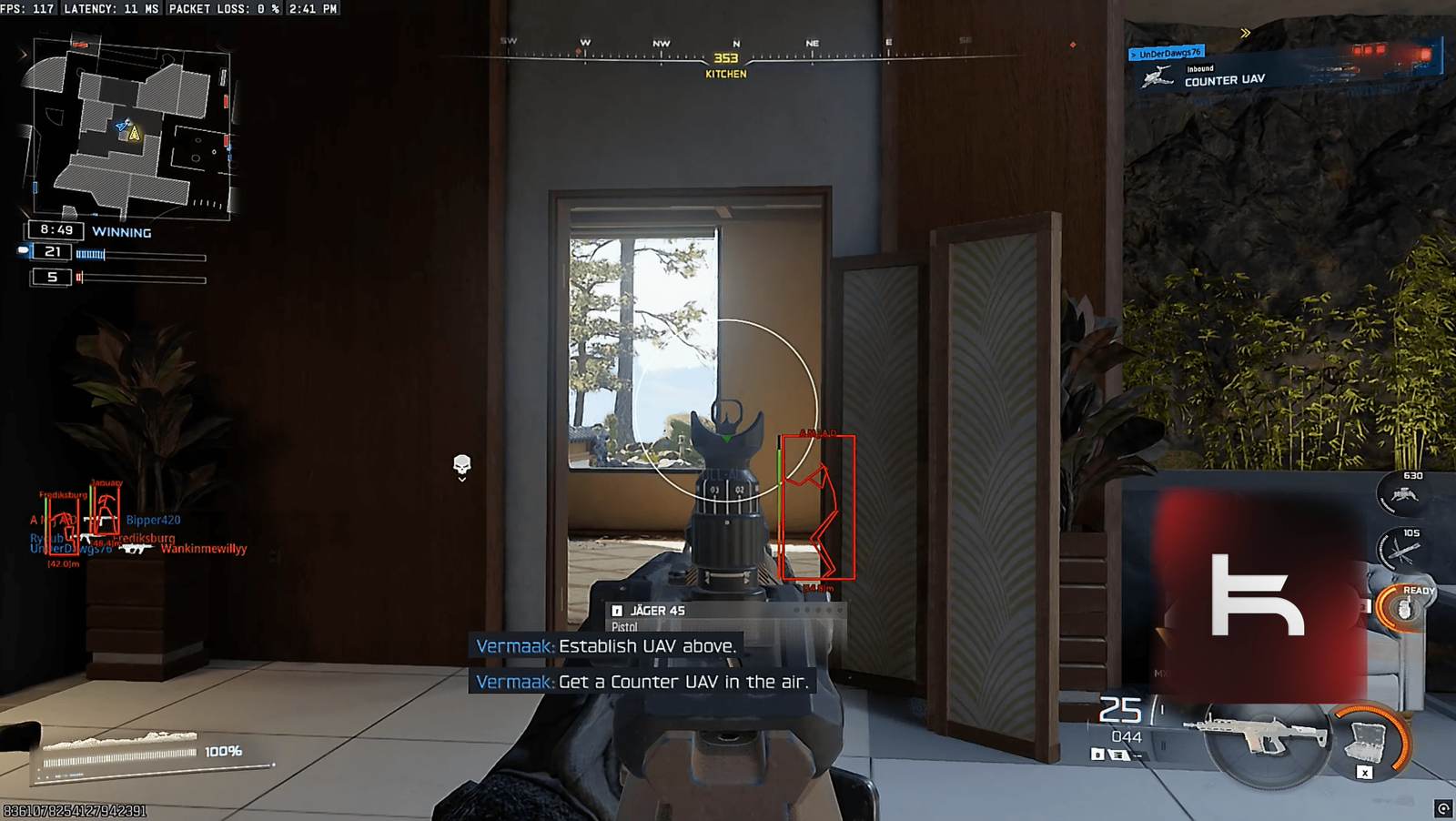


How Ravion For Black Ops 7 Works
Quick preview of the menu flow — clean, simple, and fast.
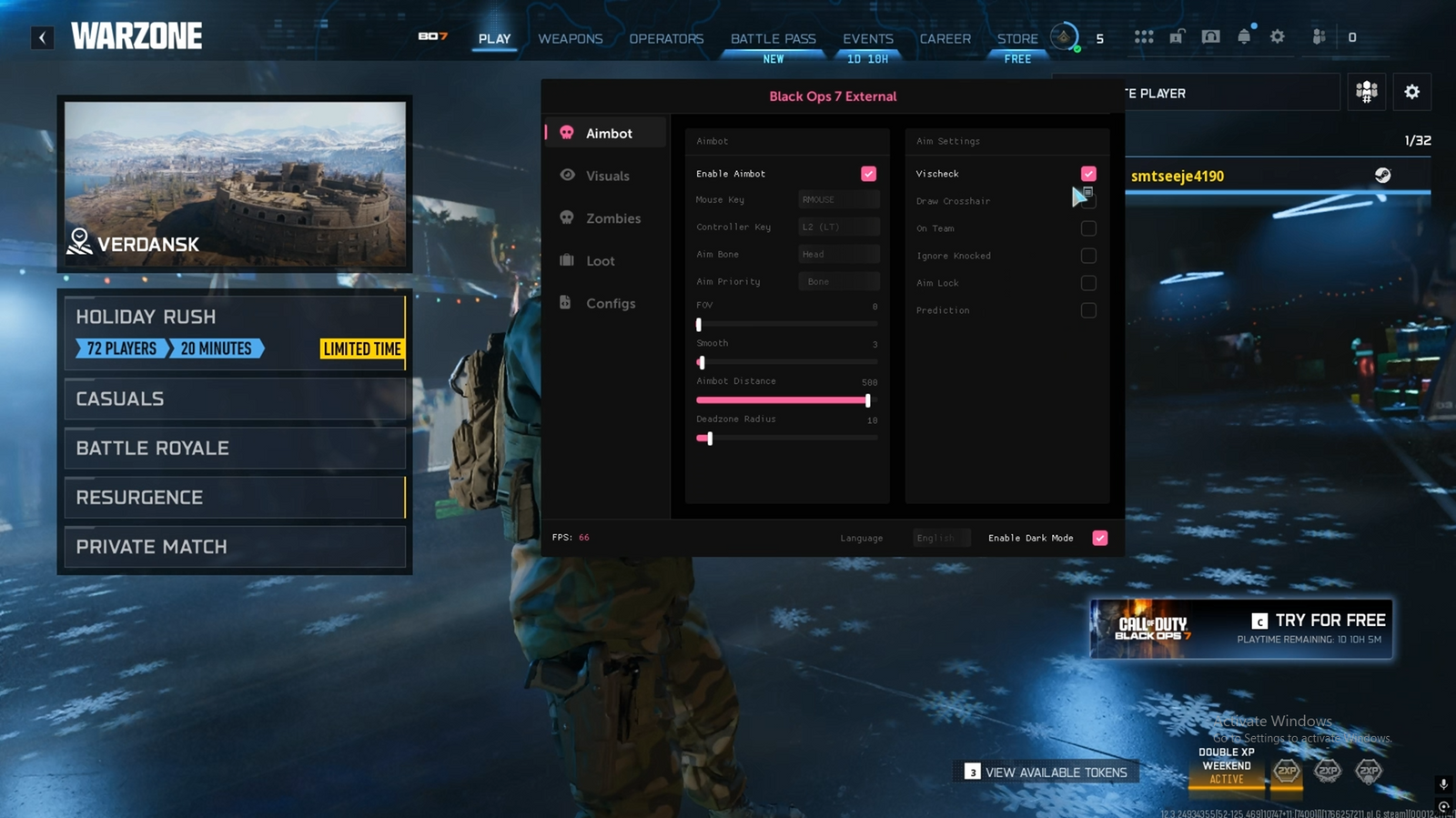
Aimbot
Toggle aim assistance, fine-tune smoothing, and choose your target style.
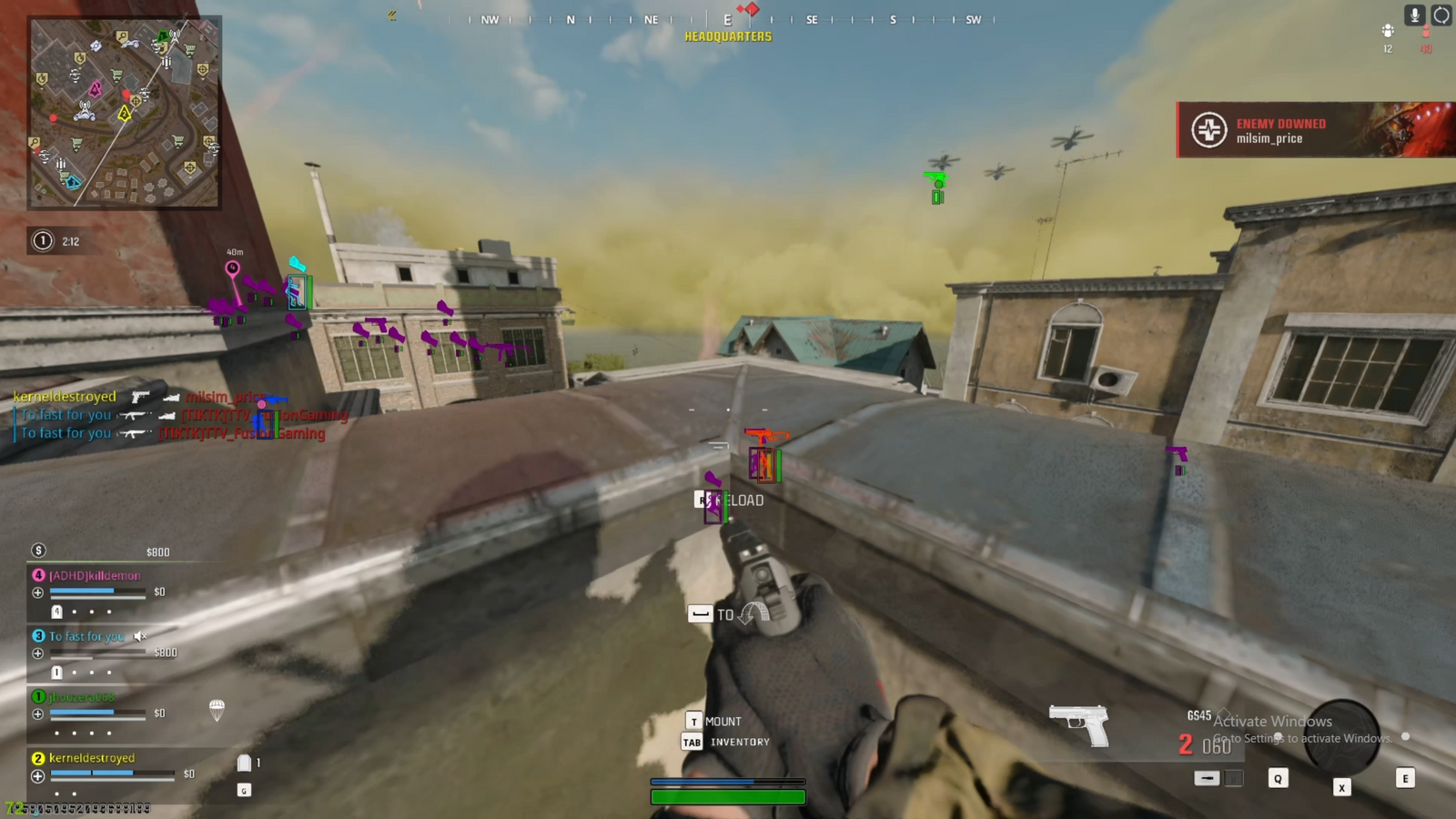
Visuals / ESP
See what matters: boxes, names, distance, and clean on-screen info.
Radar
Compact radar panel with adjustable range and clarity.
Config
Save, load, and swap settings quickly for different playstyles.

Product Overview
Step into the future of competitive gaming with Ravion (BO7/WZ). Engineered for unparalleled precision and stealth, this external cheat gives you the edge you need to dominate every match. Unleash your full potential and experience the ultimate gaming advantage with Ravion (BO7/WZ).
Precision Aimbot: Next-Level Lock-On Accuracy
Take control of every firefight with our highly accurate aimbot. Customize your targeting with adjustable FOV, multiple aim modes, and precise recoil management. Whether you’re going for clean taps or sustained fire, it gives you the advantage to win every encounter.
- Aim Types: Lock-On, Silent Aim, Trigger-Bot
- Priority Modes: Closest to Crosshair, Closest to Bone, Closest Distance
- Customizable Smoothing Settings
- Target and Behavior Settings
- Enable Aim Key with configurable keybind
- Aim Key Delay adjustment


Elite ESP: Total Vision Through Walls
See through walls and stay ahead of the action with our advanced ESP and radar system. Monitor enemy positions, loot, and key stats in real time. Customize the display with adjustable colors, sizing, and transparency for a clean, optimized intel overlay.
- Enable ESP toggle
- Corner Box
- 2D/3D Box
- Filled Box
- Set ESP Distance
- Draw FOV Circle
- Show DeadZone
Complete Control: Ultimate Customization
Take full control of your setup with a wide range of customization options. Switch languages instantly, save multiple configs for different playstyles, and fine-tune your visuals with custom ESP colors. Adapt to any scenario and stay ahead of the competition.
- Save / Load Configs
- Edit Text Size
- Edit Box / Bones / SnapLines Thickness
- Change Crosshair / FOV Circle Color
- Edit Visible / Invisible Visuals Colors

Description
Compatibility
- All Windows Versions
- Full Native Controller Support
- Spoofer: Included
- Works on Steam / Battlenet And GamePass
Aimbot
- Enable Aimbot toggle
- Aim Types: Lock-On, Silent Aim, Trigger-Bot
- Priority Modes: Closest to Crosshair, Closest to Bone, Closest Distance
- Customizable Smoothing Settings
- Target and Behavior Settings
- Enable Aim Key with configurable keybind
- Aim Key Delay adjustment
- Preset Aimbot Configurations
- Zombie Support
- Prediction
- Aim Lock
- Ignore Knocked
- Aim At Team ( good for ffa )
- Draw Crosshair
- Visible Check
- Set Aim FOV / Smoothness / Distance & DeadZone
ESP
- Enable ESP toggle
- Corner Box
- 2D/3D Box
- Filled Box
- Set ESP Distance
- Draw FOV Circle
- Show DeadZone
- Player Name ESP
- Health Bar and Percentage Display
- Zombie Support
- Weapon ESP
- Skeleton ESP
- Distance, Kills, and Team ID ESP
- Misc ESP Elements
Loot ESP
- Enable Loot ESP toggle
- Loot Name and Distance Display
- Loot Bounds and Name Background
- Adjustable Render Distance
- Loot Category Filtering
- Supported Types: Weapons, Attachments, Ammo, Armor, Quests
- Dynamic Loot Rendering for quick detection
- BubbleESP
- Stimulator
- Kill Streak
- Armor Heavy
Menu & Configs
- Save / Load Configs
- Edit Text Size
- Edit Box / Bones / SnapLines Thickness
- Change Crosshair / FOV Circle Color
- Edit Visible / Invisible Visuals Colors
- Turn On/Off Dark/White Mode
Share and get 15% off!
Simply share this product on one of the following social networks and you will unlock 15% off!